What is Jira Service Management (JSM)?
Jira Service Management is a tool from the Atlassian family of products that helps support and deliver both internal and external services for a company or company team. It is often used as an internal tool to manage internal processes and ensure a consistent and transparent methodology. Increasingly, however, it is being used to provide customer service with the potential to build a clear and efficient system for small and large businesses, individuals or communities.
Jira Service Management – service provision CENTER, that can be built on a turnkey basis
At its core, Jira Service Management includes the functionality and features to create a fully functional management center for running a business or providing services to any segment, and it is up to the business owner how robustly they want to use it.
User interface between the customer and the service provider
Using the Customer Portal user interface, it is possible to create several variants such as order portal, service desk portal, complaint portal, etc., and promote it to the customer’s mobile devices or web browser. It is also possible to track different types of tasks and their resolution status.
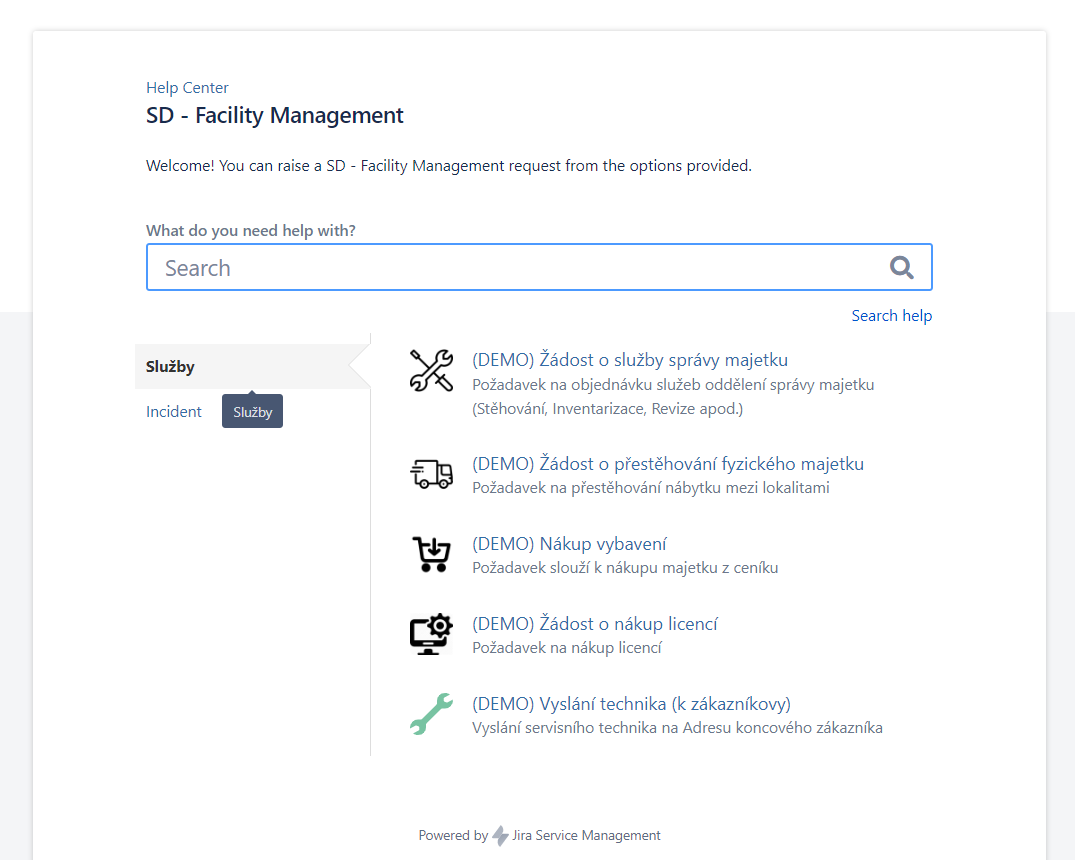
Communication between the customer and the service provider
It is a common need for both customers and service providers to communicate via order receipt notifications, requests in email form, completing information and comments in the request. Of course there is also the option of using an online communication tool such as Teams to chat with customers.
Solving tasks in Jira Service Management
The request, order, customer query is then given in the form of a ticket to JSM Workflow, which can be configured as per the requirements and set up exactly for the needs of the merchant/company. Of course, various task statuses (new, in progress, completed,…) and reports on their execution are embedded.
These workflows allow for ticket distribution to specific solvers, providing notifications when a ticket is created or needs to be solved, approving, measuring and managing the response time to a ticket, ticket status overview and reporting, automation or conditional behavior based on the selected product or customer.
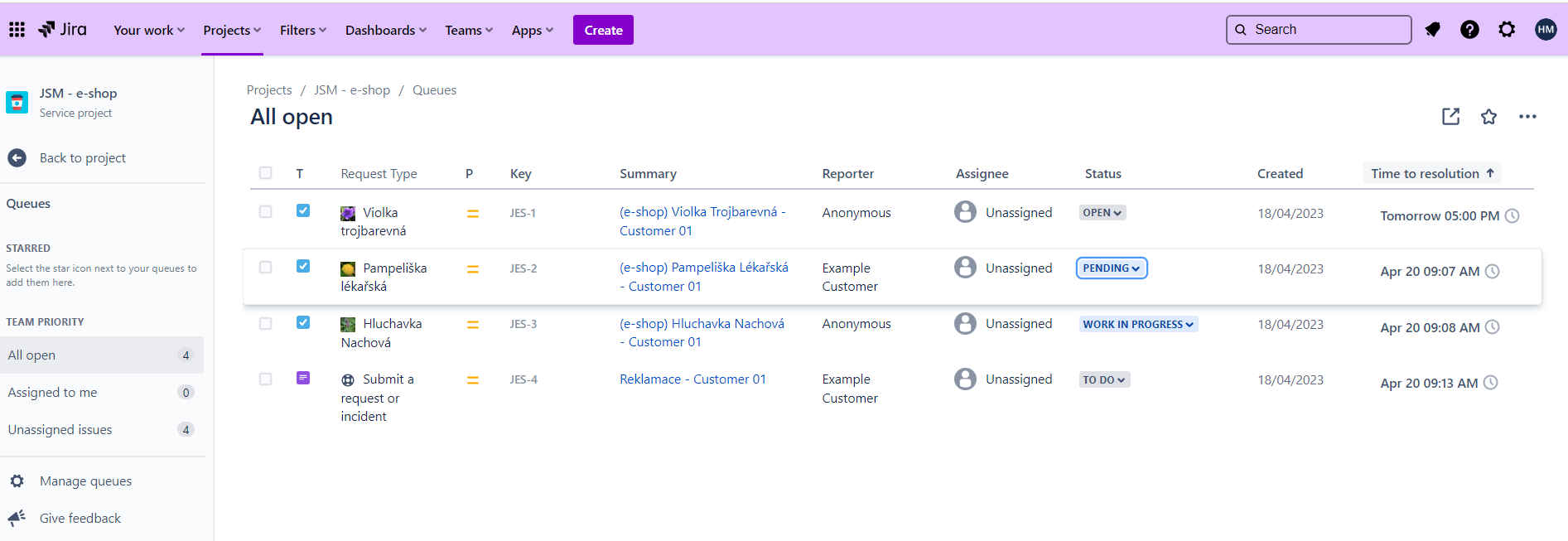
Transparent and measurable collaboration between internal teams
All customer requests are handled in the Jira Service Management environment based on a workflow tailored to the service or team. This allows for transparent status management, ticket forwarding between responsible solution teams (e.g. engineers, contractors, responsible personnel, etc.), allows for measurement of processing time or solver response, and many other supporting features, so that business or service delivery can be managed clearly and efficiently.
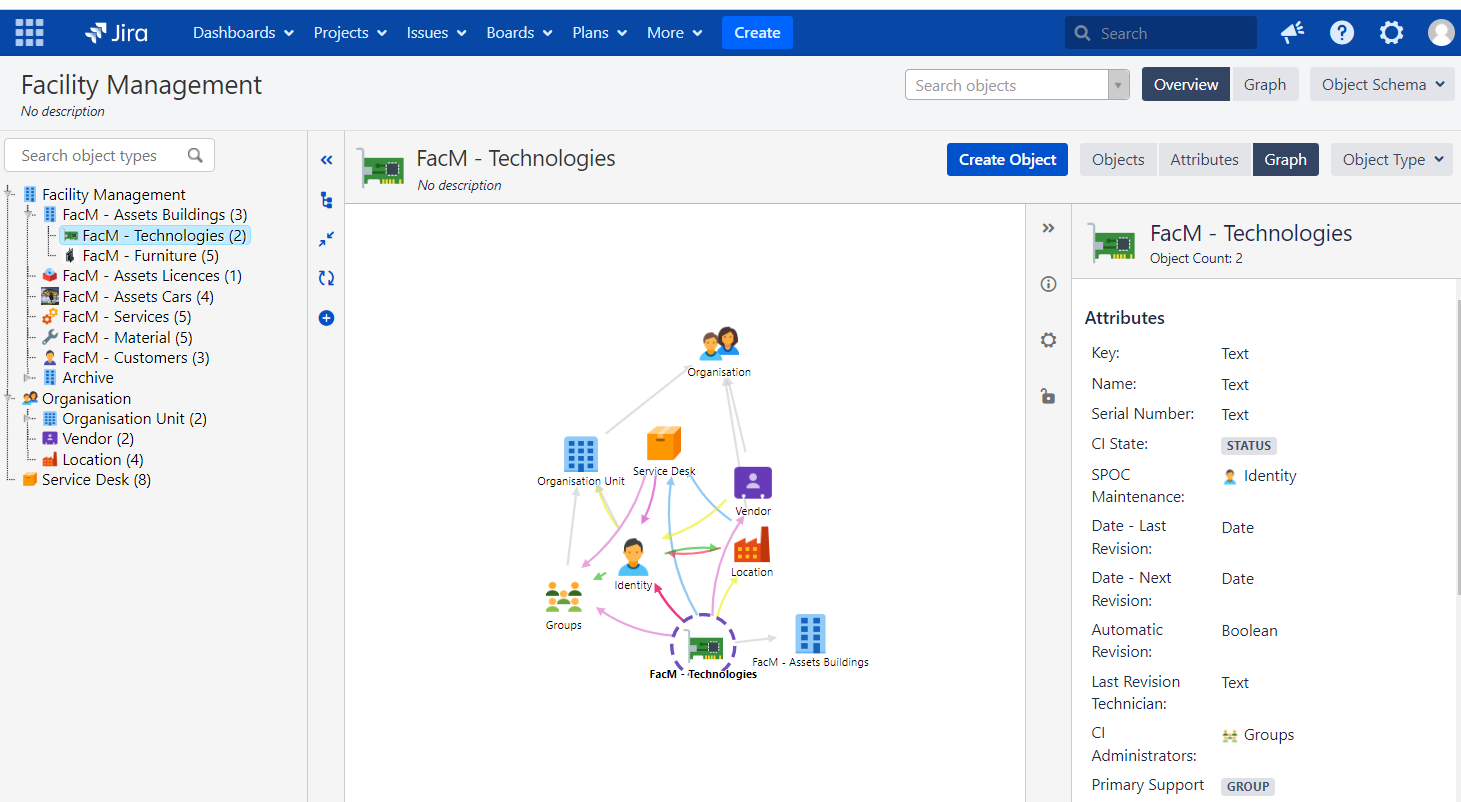
Clear, structured database of products, services, organisational structure and their relationships
Jira Service Management has a special feature built into it – Asset Management (CMDB – Configuration Database), which allows you to manage, maintain and administer in a user-friendly environment the selected assets of a company, team or entrepreneur that are important for the delivery or support of its services (assets, products, organizational structure, list of suppliers, list of clients, buildings, etc.).
The individual items can then be linked or enriched with information according to the needs of the customer or service provider.
The content of this structure can then be used within all Jira Service Management functionalities. An example would be to display them in the Customer Portal (e.g. when selecting from the e-shop or when resolving incidents or service events).
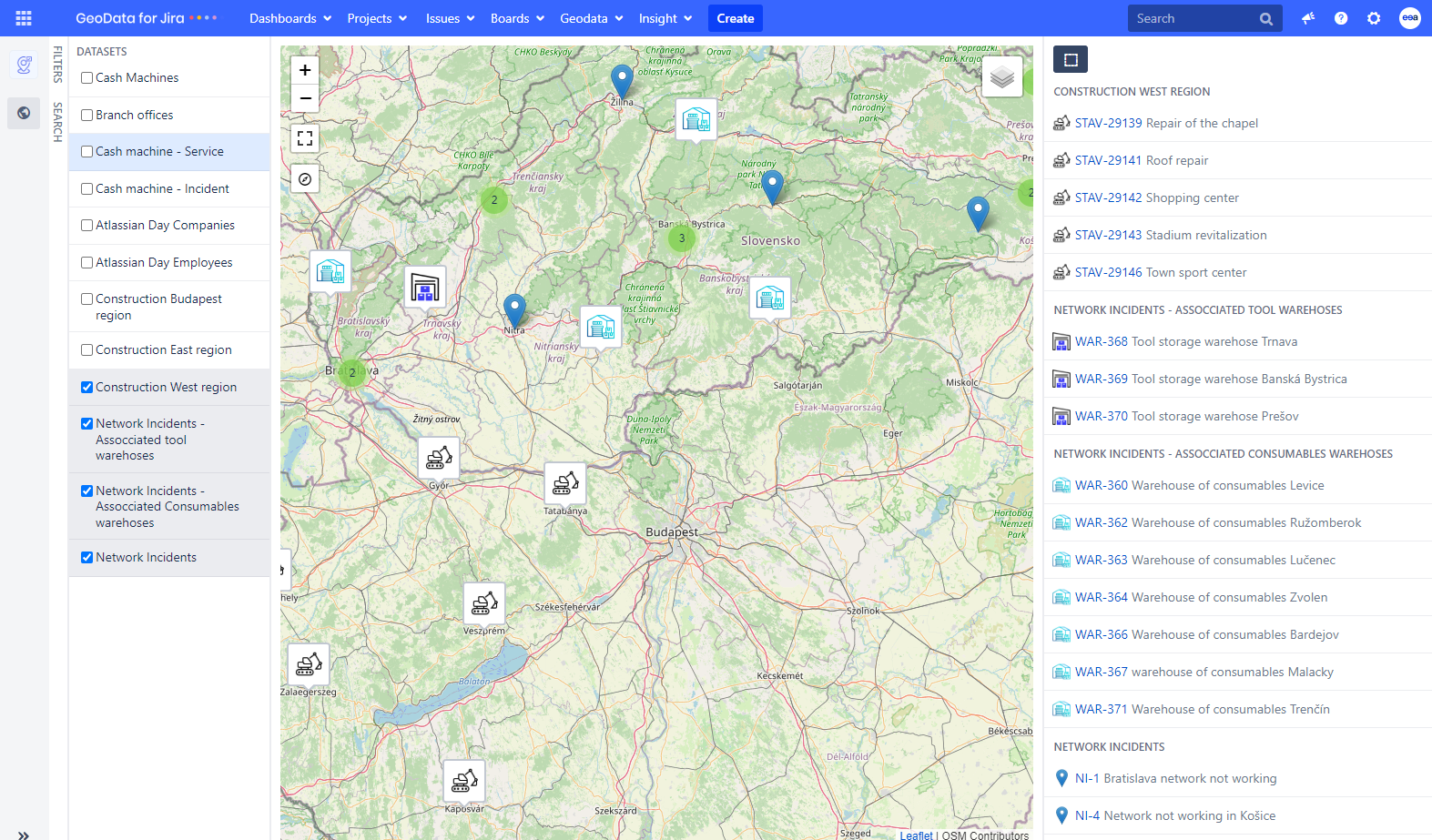
Visualization of Jira Tasks and Assets
GeoData for Jira
A clear overview of your Jira Tasks and Assets is key. With GeoData for Jira this is also possible in conjunction with geolocation and visualization on a map.
This powerful tool allows you to manage your tasks and objects on a map with GPS coordinates, opening up new possibilities for better organization and efficient decision-making.
Visualizing your data on the map gives you an instant overview of which areas are the busiest. This allows you to plan employee travel better and make strategic decisions with greater accuracy and efficiency. Additionally, finding geographic correlations between different problems and tasks can help you find better solutions.
With GeoData for Jira, you can not only optimize your processes but also save valuable resources and time in your business.
Read more about GeoData for Jira here: https://eea.solutions/applications/geodata-for-jira/ .
With the support of Atlassian Confluence
Atlassian products can be directly interconnected with each other, one of the most used interconnections is Jira Service Management and Confluence (https://www.atlassian.com/software/confluence). With a tool that enables effective collaboration between teams and customers in the form of a documentation and knowledge tool.
This interfacing is used either for internal purposes (e.g. internal WIKI, project and project documentation management, maintenance of contract documentation, procedures, personal knowledge spaces) or it is possible to link it to the Customer Portal for customers and insert articles and information that are relevant to the customer (e.g. self-service articles, terms and conditions, product descriptions, etc.).
Jira Service Management is the bridge between the customer and the company
Jira Service Management has a wide range of applications, it just depends on how the company wants or knows how to use it.
Ordering system:
- Libraries
- Accommodation
- Rental companies
- ticket portals
Service portal:
- Service centres
- Helpdesk
- community support
Requests portal:
- Addressing employee/user needs in-house
- resolving customer requests
- guidance
Communication portal:
- administrative agendas
- applications
- communication with customers
Knowledge portal (together with Confluence):
- Self-service,
- product gallery
- best-practice articles, etc.
Process tool (supporting the running of the company):
- ITSM processes
- Facility Management
- HR processes
- SDLC and PM processes
- DevOps support
E-shop:
- Product selection
- product purchasing
- purchase processing and handling
- complaint portal
Hubert Máša
Business Analyst
If you need assistance from experts with the implementation or configuration of Atlassian products, or if you need advice on how to use them most effectively in your company, please do not hesitate to contact us.
Our Atlassian Solutions